Case study 02 · UX/UI · 2025
OkieDokie
A playful, hands-on learning platform that turns Docker into something you actually want to practice.
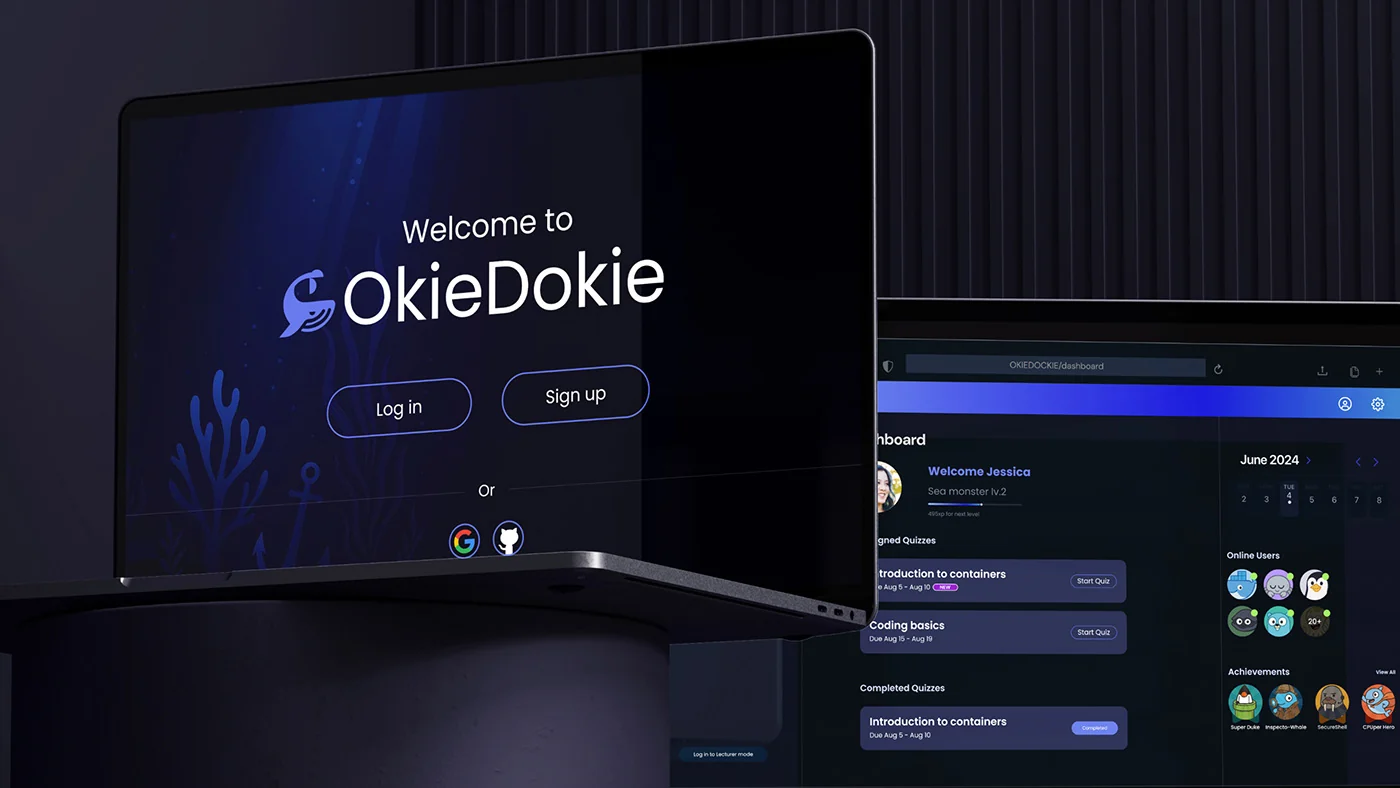
Overview
Instead of dry tutorials, OkieDokie teaches Docker through short quizzes and exercises, with instant AI feedback that explains the why behind every answer.
OkieDokie is a playful, hands-on learning platform for Docker. Learners work through straightforward quizzes and exercises, and an AI explains the reasoning behind every answer and every mistake.
The vibe is friendly, the feedback is instant, and the goal is simple: turn intimidating concepts into confident, repeatable habits.
The problem
Docker is hard to learn alone.
Talking to learners surfaced four recurring pain points.
Complicated setup & commands
Docker requires memorizing long, technical commands and managing complex configurations, which makes the learning curve steep for beginners.
Abstract documentation
Official guides are often highly technical, leaving learners without clear, step-by-step explanations or relatable examples.
Lack of practical feedback
When mistakes happen, like container errors or build failures, learners struggle to understand why and how to fix them.
Low engagement
Traditional tutorials feel dry and overwhelming, making it hard to stay motivated without interactive or gamified elements.

The solution
Learn by doing, with a guide at your side.
Each pain point maps to one design decision.
Simplified learning flow
Complex Docker tasks become short, guided challenges with visual cues, so users understand how and why instead of memorizing commands.
Clear, visual documentation
Dense text becomes clear, interactive lessons that explain concepts visually and through real-world examples.
Instant AI feedback
Errors become part of the learning process. The AI gives real-time explanations and guidance that build confidence and skill.
Gamified experience
Badges, levels and progress tracking keep learners going, turning a dry tutorial into a game that celebrates every achievement.

Process
Five steps from research to refinement.
User research
Understanding learners' goals, skills and pain points around Docker commands, setup and debugging.
Learning model & content
Mapping a step-by-step path, from images to containers to networking to Compose, with clear milestones and prerequisites.
UX/UI design & prototyping
Designing bite-size exercises, visual hints and error-first flows that reduce cognitive load.
Development & AI feedback
Building interactive labs and adding instant, context-aware explanations for failed builds and runtime errors.
Testing & refinement
Usability tests, iterating on task clarity, timing and success criteria.
Each step makes sure OkieDokie isn't just a tutorial, but a seamless learning experience for Docker mastery.
Audience
Who it's for.
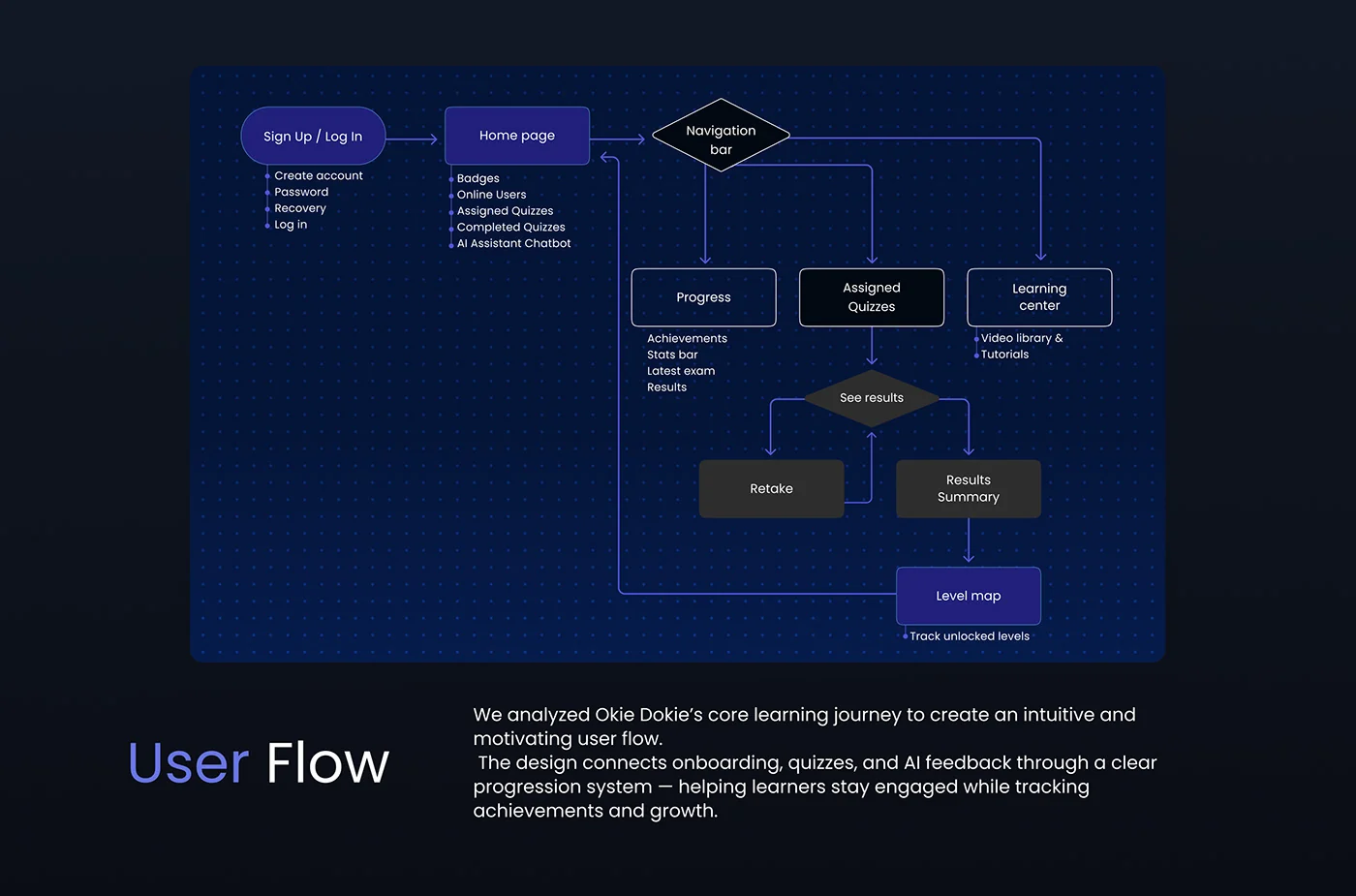
Research showed how learners engage with Docker through gamified challenges. Clear patterns among students, developers and educators shaped a learning journey that's both intuitive and rewarding.
Brand
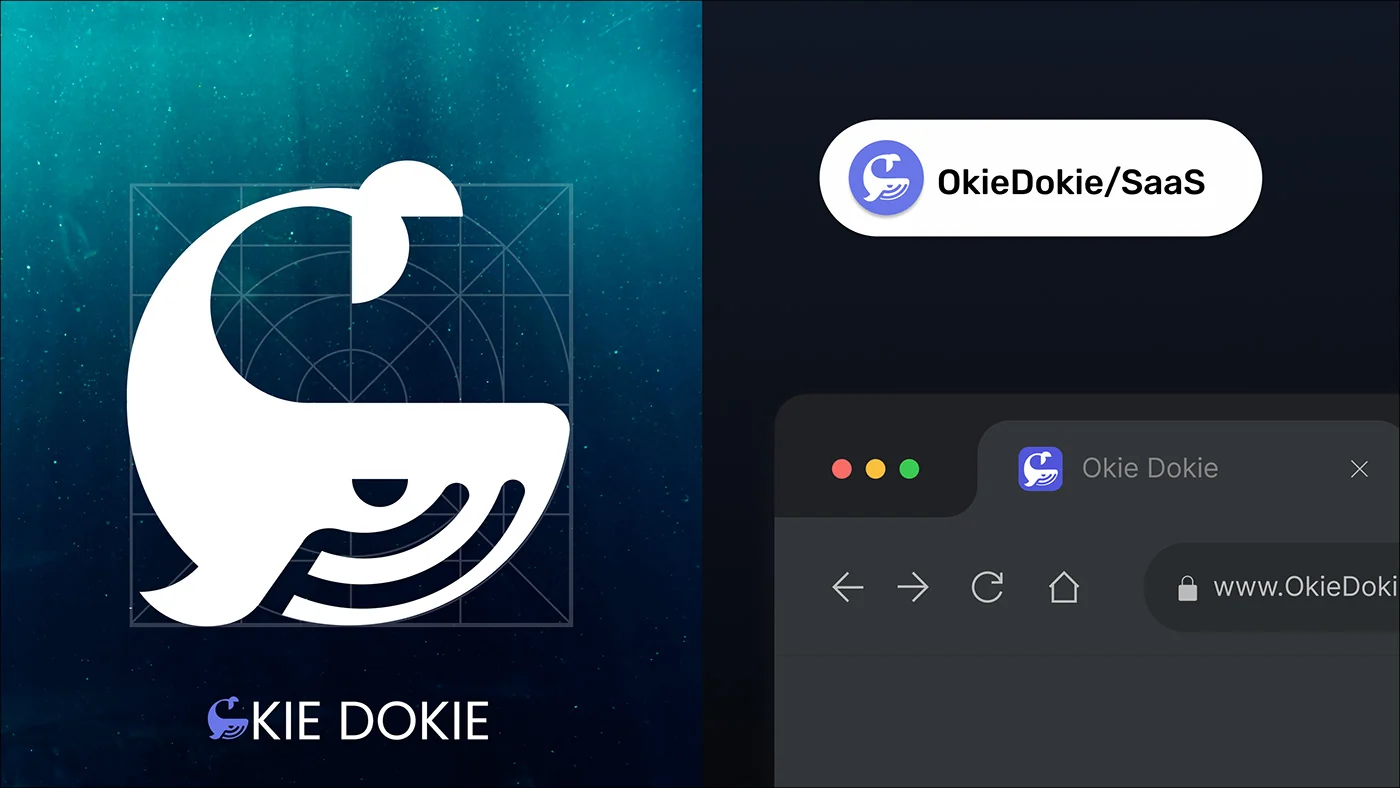
A friendly whale for a serious tool.
The mascot nods to Docker's whale, softened into something approachable.
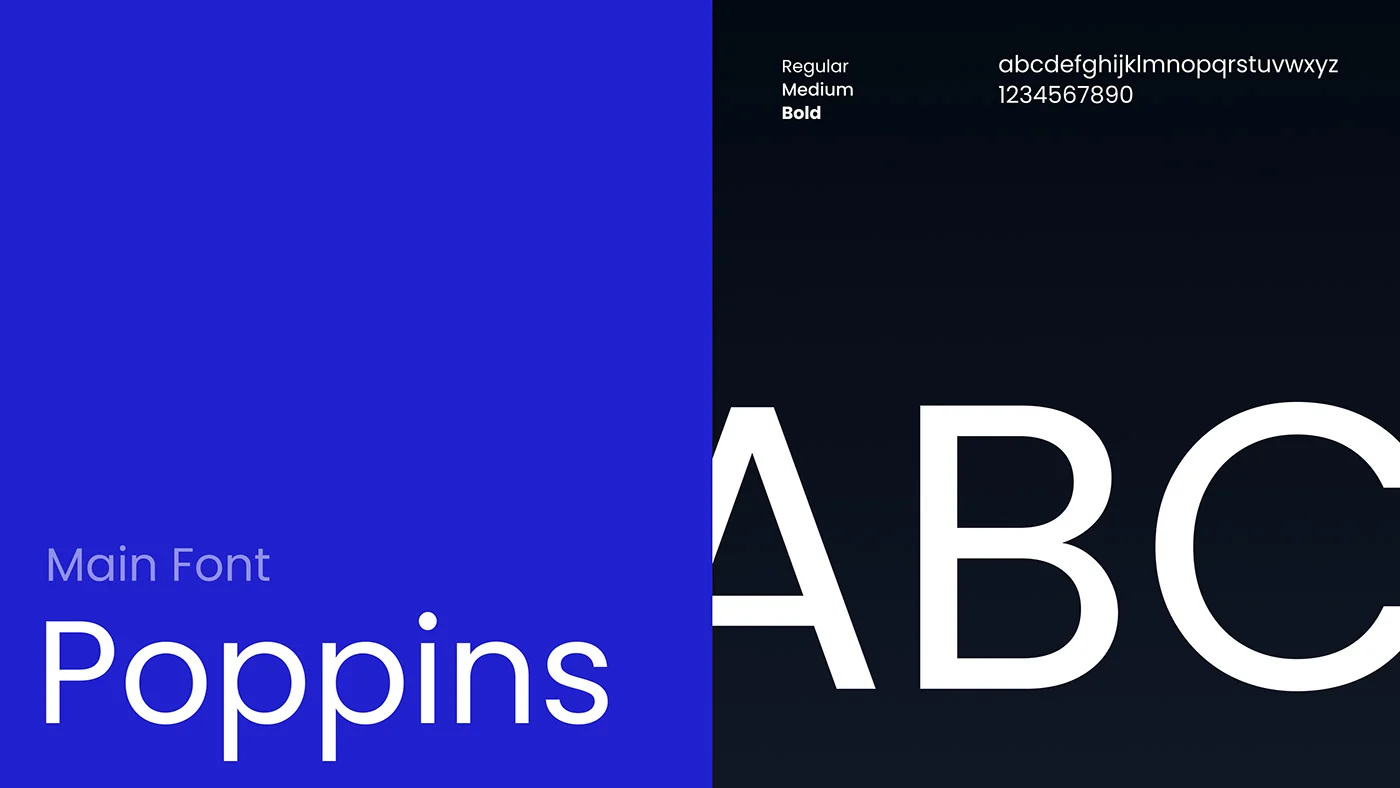
RGB 33 33 206
RGB 81 85 218
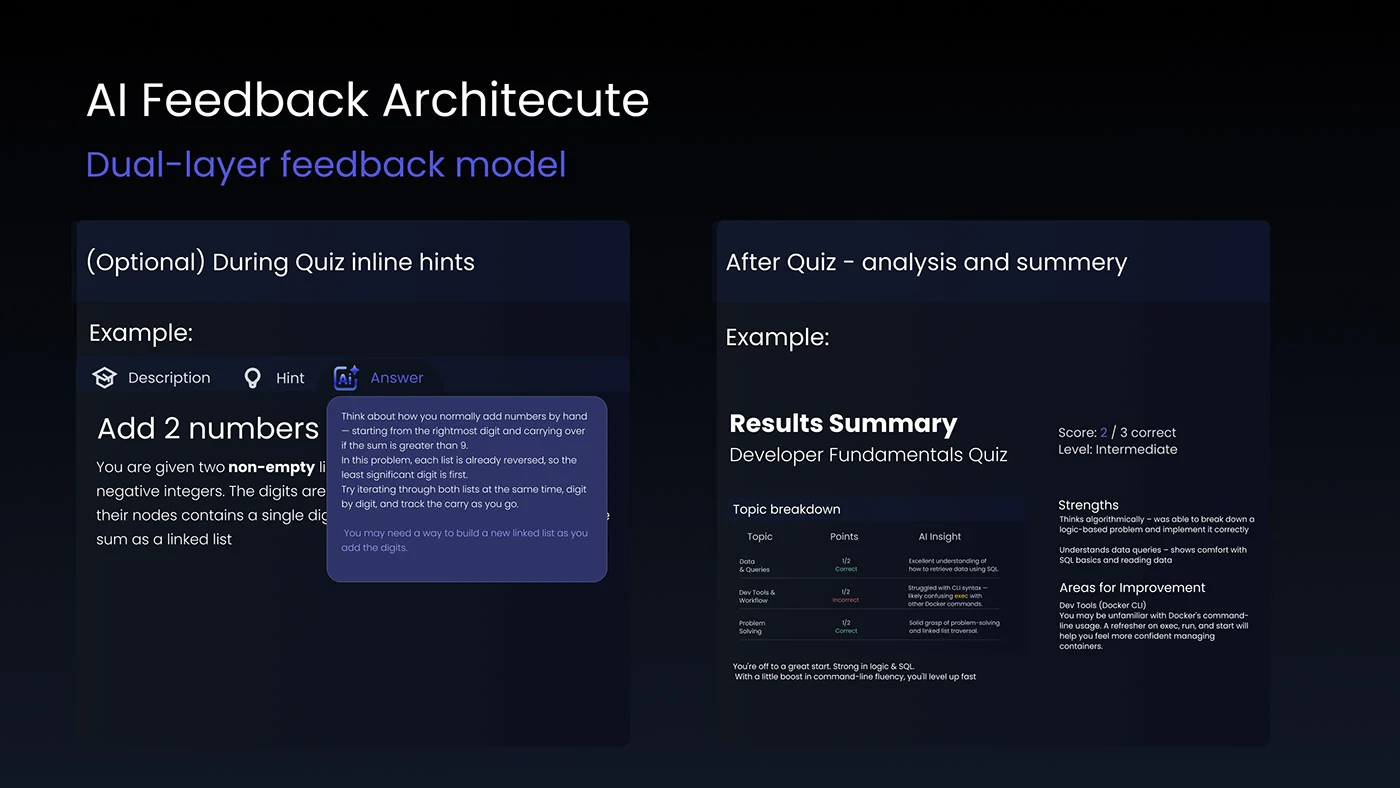
AI feedback
Two layers of feedback.
Optional inline hints during a quiz, then a full analysis and summary after it.
Gamification
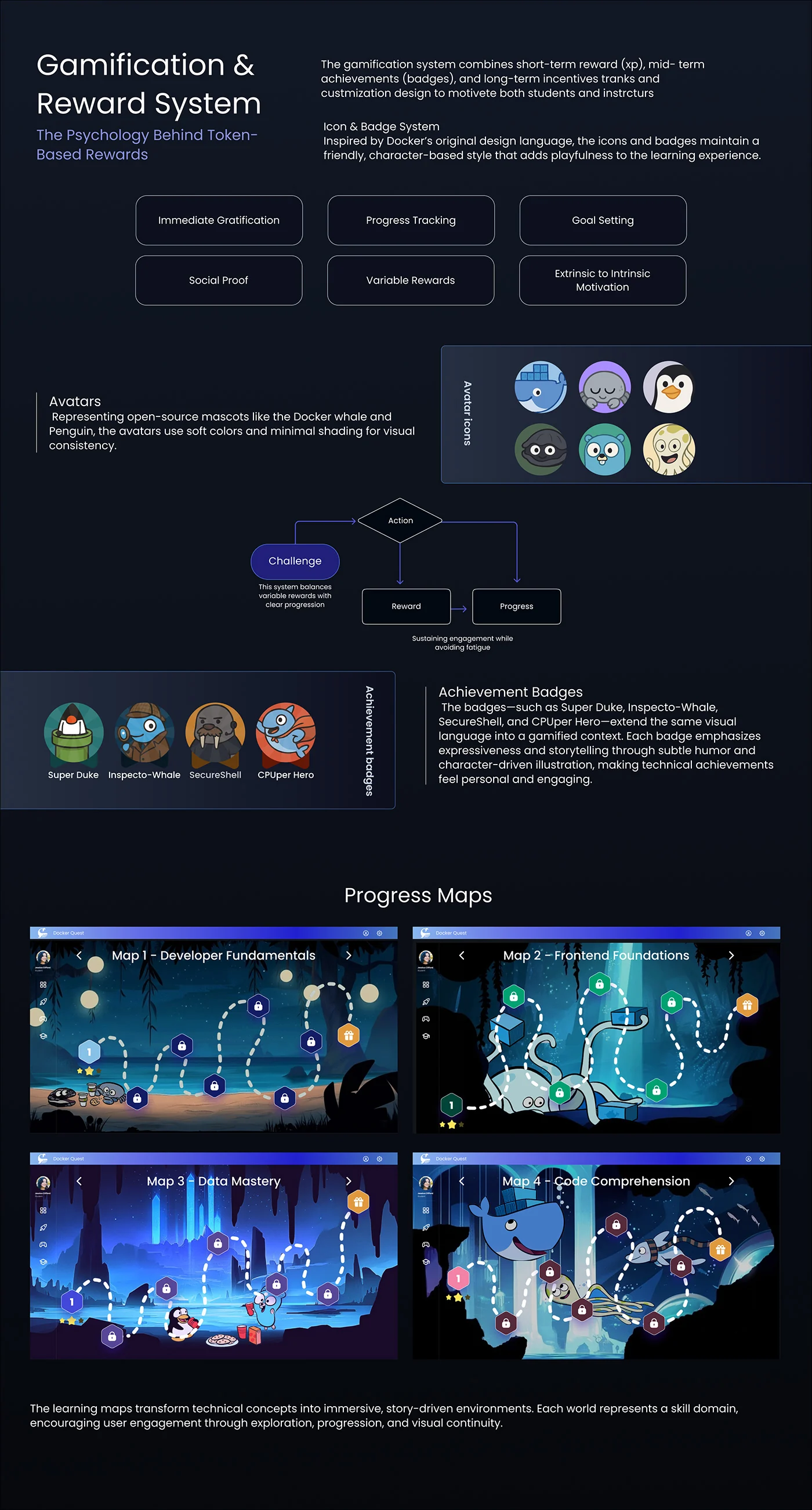
Progress you can see.
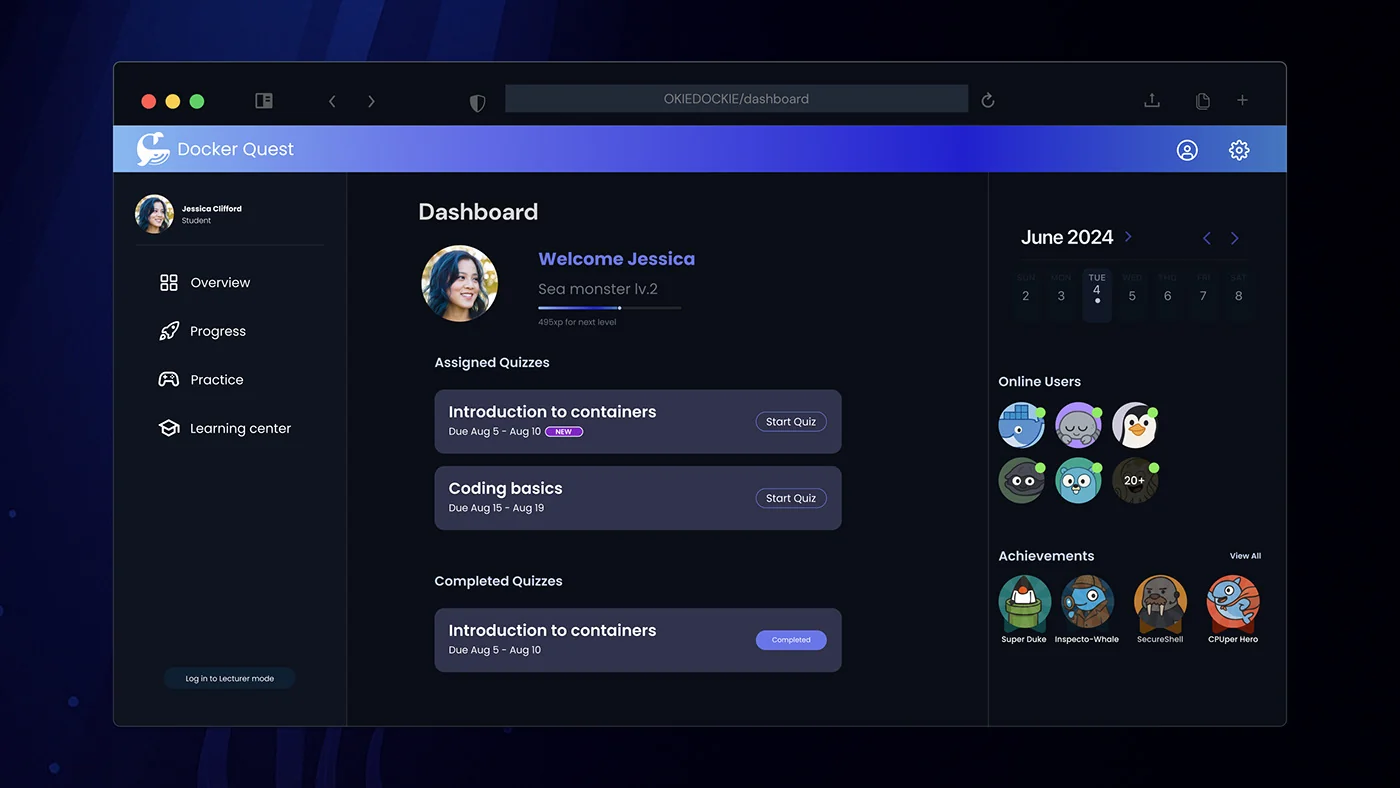
Short-term rewards, mid-term goals and long-term achievements, mapped as worlds to explore.
Two roles
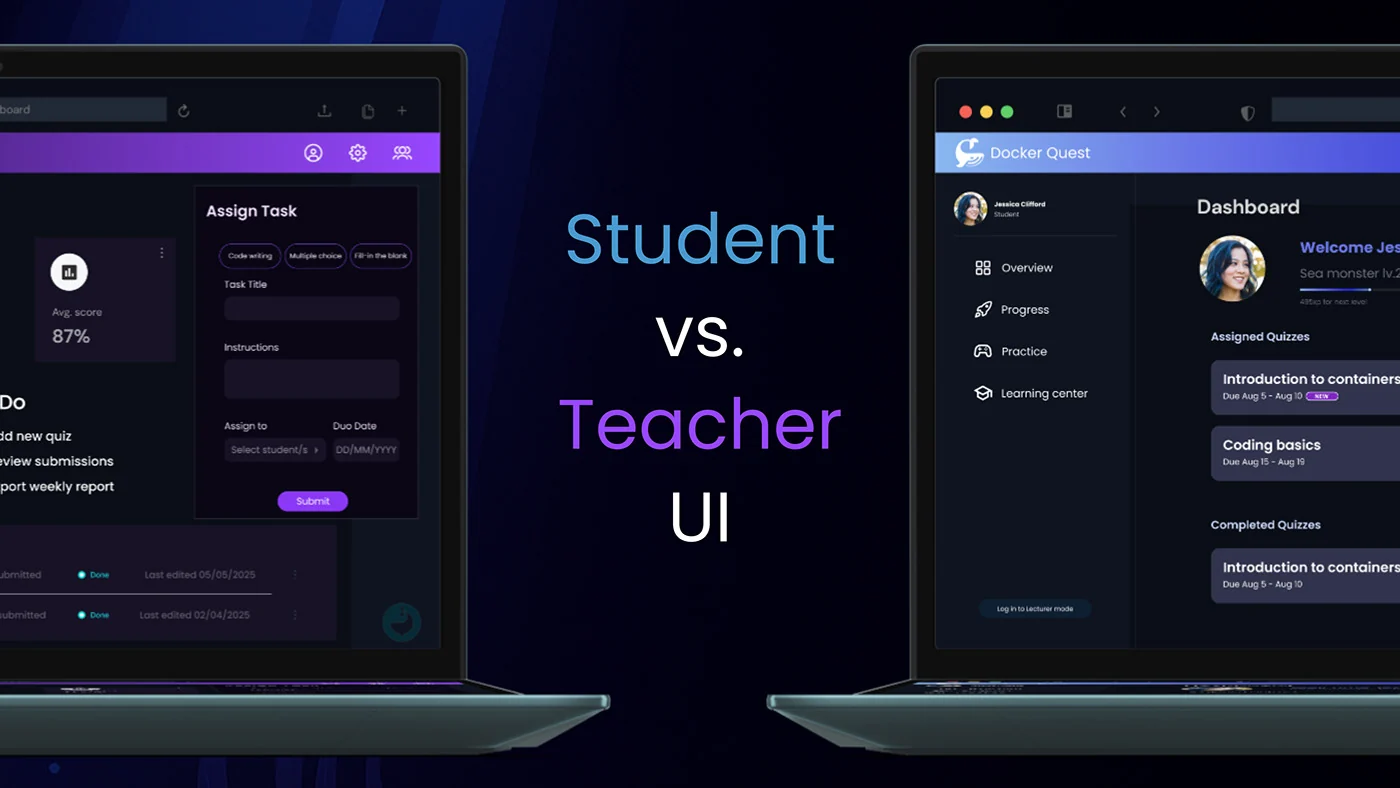
Student vs. teacher.
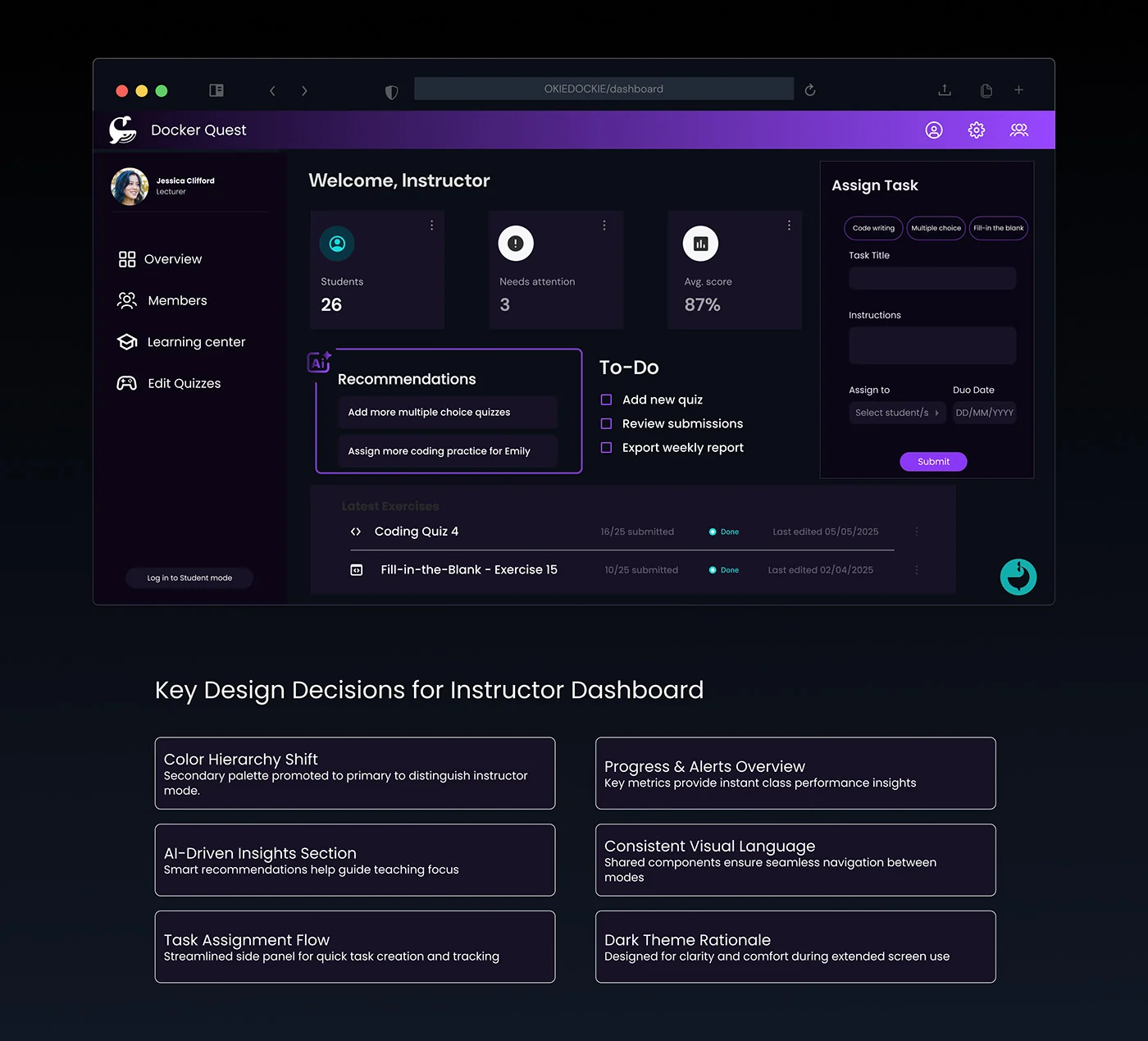
Learners practice. Instructors assign, track and step in where needed.
The product
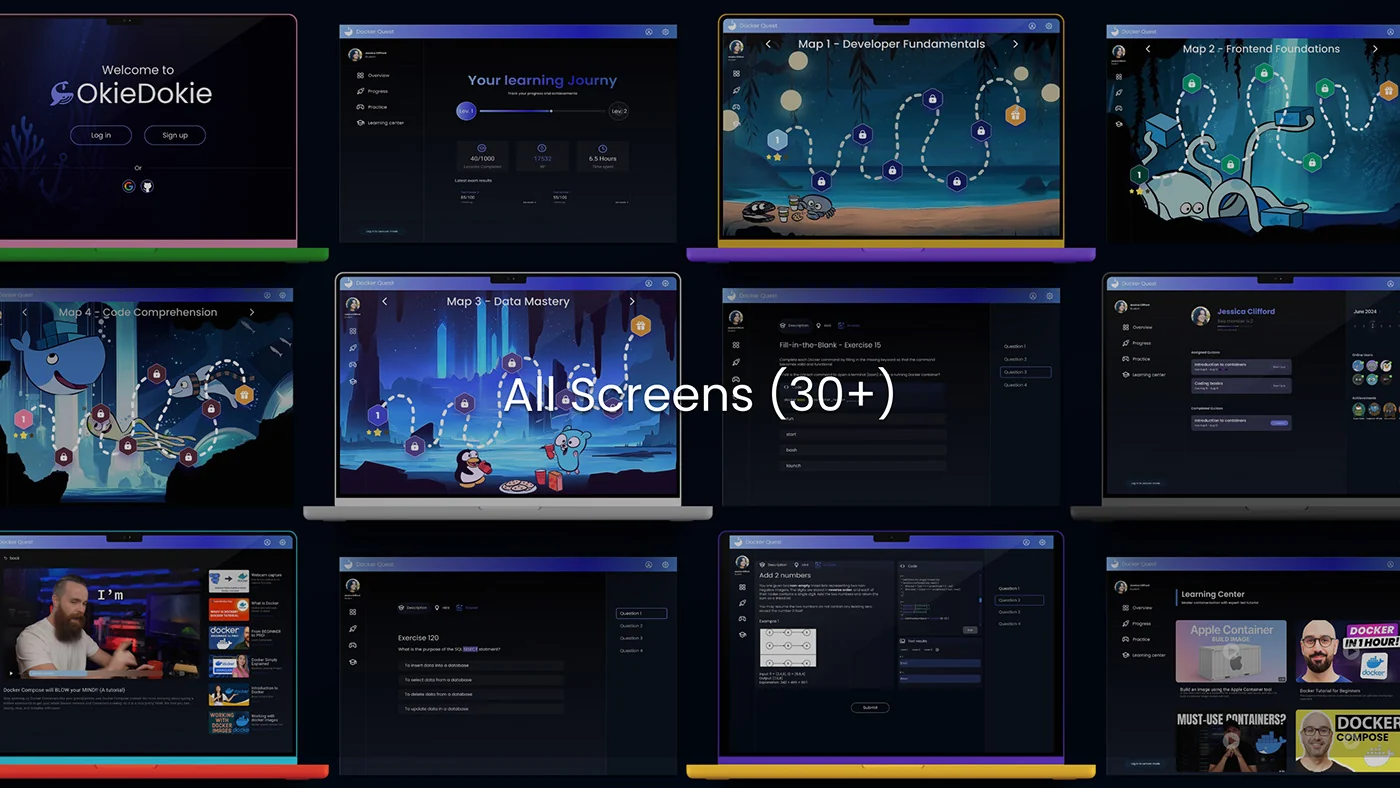
30+ screens.
Next project